Build an ebook from Markdown
Turn your chapters into an ebook you can download and review.
Arrange your own Markdown chapters and local images into an EPUB. Source text stays in this browser. The tool creates a file for you to review; it does not publish a book or acquire image rights.
Advanced publication settings
Keep the quick EPUB build or turn on publication output, choose the additions you need, then Build EPUB above. Closing keeps your choices. Content is processed locally.
How to build an ebook from Markdown
Enter a book title and author, add Markdown chapters and local PNG/JPEG images, then Build EPUB. More book details holds the book language, identifier, reading direction, theme and rights notice. Each chapter keeps its source filename, title and optional language. Review manuscript checks links and image descriptions. Download and open the completed EPUB in a reader before sharing.
Advanced publication settings starts collapsed. Turn on Use publication output for an optional bibliography, front/back matter, chapter-language overrides, custom typography and a PDF companion. Build EPUB uses those choices; closing the section preserves them. The preview uses the actual generated chapter and configured stylesheet. Images and manuscript text stay local.
The footnote helper appends a reference and definition to the selected chapter, using the original Markdown footnote renderer and note backlinks. Bibliography entries create a final chapter with your supplied details and optional HTTPS links. No sources are fetched or verified. Generated matter counts toward the existing fifty-chapter and manuscript limits.
Design a text cover, review the generated PNG and Apply designed cover explicitly. It is checked like any local image and enters manuscript history. Your previous images remain. Undo restores earlier manuscript and publication choices; regenerate an unapplied cover preview when needed. Clear resets publication choices and the original manuscript workflow. Draft saving remains opt-in.
Remember revision baseline stores a private copy only in this tab. Compare shows actual metadata, chapter-order, asset-hash and bounded source replacement ranges. Downloaded comparisons contain manuscript excerpts. Publication checklist downloads identify the exact completed EPUB by SHA-256 and separate automated observations from manual checks you mark yourself.
Example: add notes and a reference chapter
Load Try sample manuscript, open Advanced publication settings and append a short footnote to the selected chapter. Turn on publication output, add a bibliography reference and choose a title page. Build EPUB, then inspect the actual note links, bibliography, navigation and language table.
For print, select Create PDF companion and A4 or A5. The file includes actual text and local images with embedded multilingual fonts. It simplifies inline styles, lists and table layout, so review its pagination separately from the reflowable EPUB. A PDF-specific error leaves a successful EPUB available.
About publication checks and print companions
EPUB is a reflowable book format: reader fonts, text size and pagination vary. Publication typography uses a bounded set of stylesheet controls; it does not accept arbitrary CSS or network URLs. Effective chapter languages appear in the actual XHTML lang and xml:lang attributes.
Automated observations inspect generated document titles, language tags, headings, image descriptions, footnote links and table headers. They are heuristic observations, not EPUB Accessibility or WCAG certification. Check reading order, the meaning of image descriptions, contrast, reflow and assistive-technology behavior manually. Follow the W3C EPUB Accessibility guidance and use an independent validator before publication.
The PDF companion is selectable text and local images on paginated A4/A5 pages. It is not an exact EPUB typography match or a PDF/A, PDF/UA or prepress certification. Its bounds are one hundred thousand text characters, three hundred pages and twenty MiB; unsupported glyphs or unavailable bundled fonts give a clear PDF-specific error. Revision excerpts are bounded and are not a minimal unified diff.
Related tools

EPUB Reader & Inspector
Read supported local ebook chapters and inspect metadata, spine, navigation and missing resources.
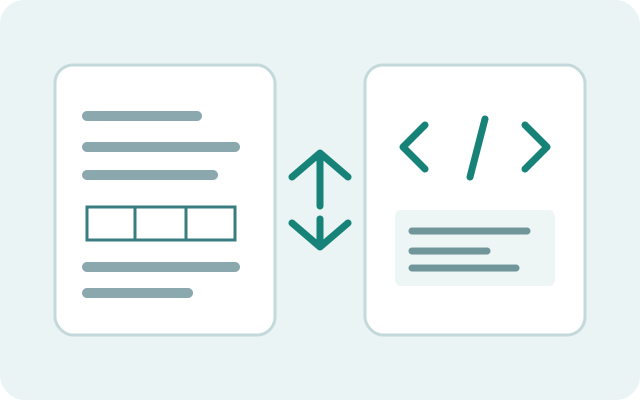
Markdown HTML converter
Convert Markdown and HTML locally with GFM tables, nested lists and fenced code; inspect a separate sanitized, asset-free preview.
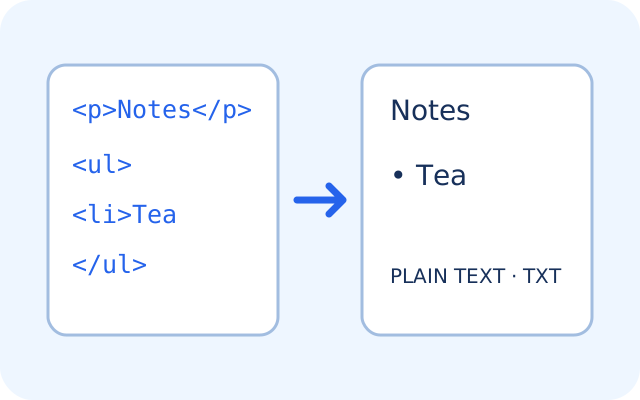
HTML to plain text
Extract readable text from HTML locally with paragraphs, nested lists, optional link destinations and image alt text; copy or download TXT.
Stars and feedback
Loading…
What should we improve next?
Help shape the next update to Markdown Ebook Builder. Tell us what would make it better for you.
Prefer email? feedback@tooltulip.com
Tool reference #219